Small Business Social Media Posting Schedule Template: Your 90-Day Guide
You know social media matters. But sitting down to post every day feels like a chore. Without a plan, you end up posting randomly or not at all.
This guide gives you a ready-to-use small business social media posting schedule template. You will get a 90-day workflow, a clear posting cadence, and the key metrics to track. Think of it as your roadmap to showing up online with purpose.
Whether you run a local shop or a growing service business, this plan works. You do not need a big team or a huge budget. You just need a system that fits your week.
Why a Social Media Schedule Matters for Small Businesses

Random posting leads to random results. A schedule keeps you consistent. Consistency builds trust with your audience over time.
According to HubSpot’s social media research, brands that post on a set schedule see up to 2x more engagement. That is a big difference for a small business trying to grow.
A posting schedule also saves you time. You batch your work instead of scrambling each day. This frees you up to focus on running your business.
Your 90-Day Social Media Workflow
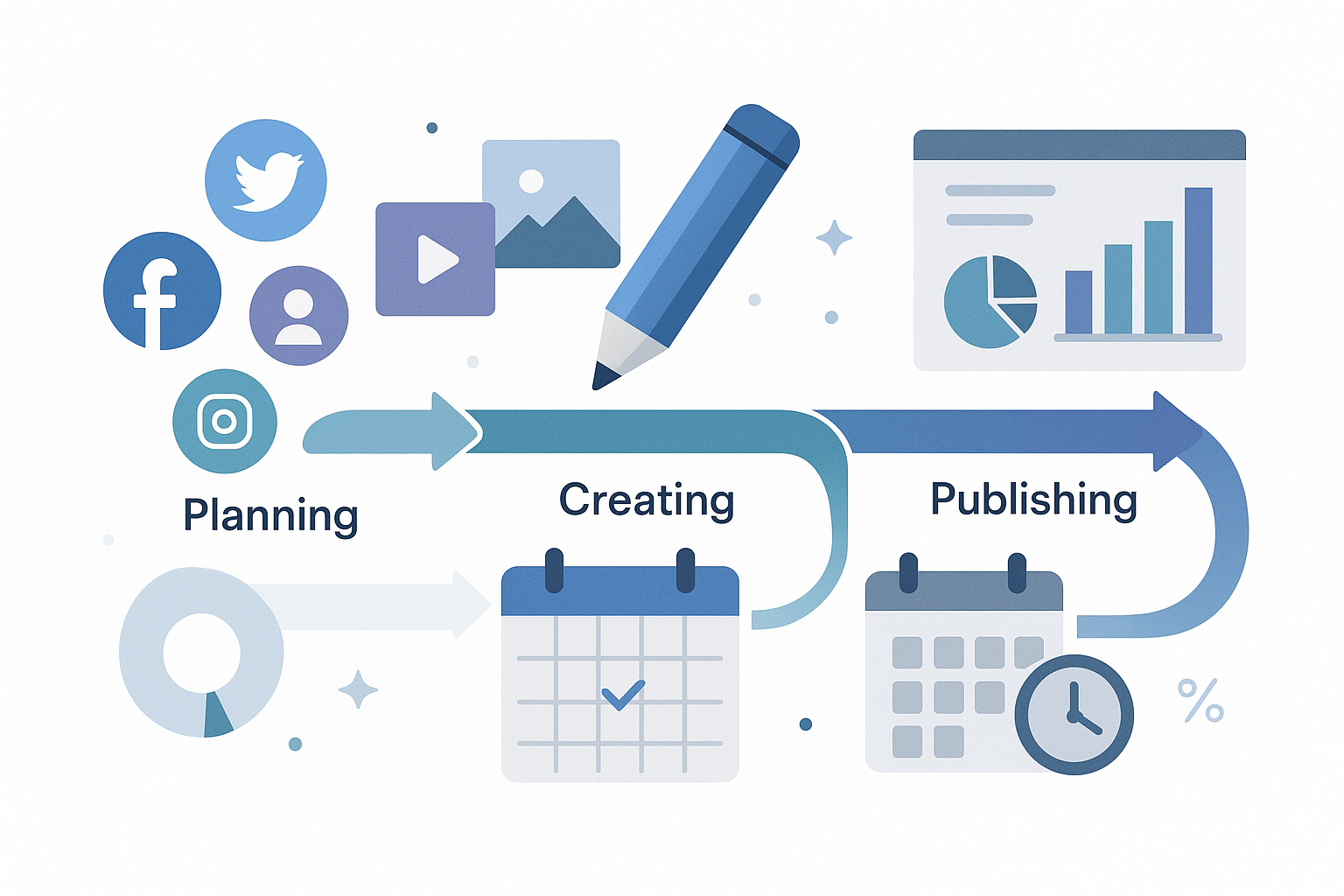
Break your first 90 days into three phases. Each phase builds on the last. By day 90, you will have a smooth system in place.
Phase 1: Foundation (Days 1–30)
The first month is all about setup. You are building the base for everything that follows. Here is what to do:
- Audit your profiles. Make sure your bio, logo, and links are up to date on every platform.
- Pick 2–3 platforms. Do not try to be everywhere. Choose where your customers spend time.
- Set up a content calendar. Use a free tool like Google Sheets or Trello.
- Create 4 content pillars. These are your main topics. For example: tips, behind-the-scenes, customer stories, and promotions.
- Batch your first two weeks of posts. Write captions and gather images ahead of time.
Your brand identity on social media starts here. Keep your voice, colors, and tone the same across all channels.
Phase 2: Growth (Days 31–60)
Now you have a rhythm. Month two is about testing and learning. Try new content types to see what clicks with your audience.
- Add video content. Short videos get more reach on almost every platform in 2026.
- Engage daily. Spend 10–15 minutes replying to comments and messages.
- Run one small experiment. Try a poll, a reel, or a carousel post. Track what performs best.
- Review your first month’s data. Look at reach, clicks, and engagement rates.
This is also a great time to explore video storytelling for your business. Even simple phone videos can drive strong results.
Phase 3: Optimization (Days 61–90)
By month three, you know what works. Now you fine-tune your approach. Double down on winning content types.
- Cut what is not working. Stop posting content that gets zero engagement.
- Repurpose top posts. Turn a popular post into a blog, email, or short video.
- Plan next quarter. Use your data to build your next 90-day calendar.
- Set new goals. Aim for specific growth numbers based on your results so far.
Small Business Social Media Posting Schedule Template

Here is a simple weekly posting cadence. Adjust it based on your platforms and team size. This template works for most small businesses in 2026.
Weekly Posting Cadence
| Day | Platform | Content Type |
|---|---|---|
| Monday | Instagram / Facebook | Tip or how-to post |
| Tuesday | Industry insight or thought leadership | |
| Wednesday | Instagram Stories | Behind-the-scenes or poll |
| Thursday | Facebook / Instagram | Customer story or testimonial |
| Friday | All platforms | Fun or personal post (team photo, milestone) |
| Saturday | Instagram / TikTok | Short video or reel |
| Sunday | Rest or schedule next week | Batch content prep |
This gives you 5–6 posts per week. That is enough to stay visible without burning out. Quality always beats quantity.
Platform-Specific Tips
- Instagram: Post 4–5 times per week. Use reels and stories often. They get the most reach.
- Facebook: Post 3–4 times per week. Groups and community posts still work well.
- LinkedIn: Post 2–3 times per week. Focus on value-driven content. Text posts do well here.
- TikTok: Post 3–5 times per week. Short, raw videos perform best.
KPIs to Track Your Social Media Results

You cannot improve what you do not measure. Key Performance Indicators (KPIs) show you what is working. Here are the ones that matter most for small business digital marketing.
Engagement Rate
This is the percentage of people who interact with your posts. Likes, comments, shares, and saves all count. Aim for 1–3% on Instagram and Facebook.
Reach and Impressions
Reach tells you how many unique people saw your post. Impressions show total views, including repeats. Watch for steady growth month over month.
Click-Through Rate (CTR)
CTR shows how many people clicked your link. This matters if you are driving traffic to your website. A good CTR on social is about 1–2%.
Follower Growth Rate
Track how fast your audience is growing. Do not obsess over total followers. Focus on the growth rate instead. Steady growth means your content resonates.
Conversions
This is the ultimate KPI. Did someone buy, sign up, or contact you because of a post? Set up tracking with UTM links so you know which posts drive action.
If you are also running paid ads, check out this guide on how to maximize your marketing ROI. It pairs well with organic social efforts.
Tools to Make Social Media Easier

You do not need fancy software. But the right tools save hours each week. Here are some favorites for small businesses:
- Canva: Free design tool for graphics and short videos.
- Buffer or Later: Schedule posts ahead of time across platforms.
- Google Analytics: Track website traffic from social media.
- Meta Business Suite: Free tool for managing Facebook and Instagram.
- Google Sheets: Build a simple content calendar at no cost.
According to Statista’s 2026 social media data, over 4.9 billion people use social media worldwide. Your customers are there. You just need to show up with a plan.
How to Tie Social Media Into Your Bigger Marketing Plan
Social media works best as part of a bigger strategy. It should connect to your email list, website, and content plan. Think of social as the front door to your brand.
For a full picture, read this guide on building a 12-month content plan. It shows how online marketing services for small businesses fit together.
Here is how to connect the dots:
- Share blog posts on social media to drive website traffic.
- Use social content to grow your email list.
- Repurpose email content as social posts.
- Turn customer questions from social into blog topics.
Common Mistakes to Avoid
Even with a great template, mistakes happen. Watch out for these common traps:
- Posting without a goal. Every post should have a purpose. Educate, entertain, or inspire action.
- Ignoring comments. Social media is a two-way street. Reply to every comment and message.
- Being too salesy. Follow the 80/20 rule. Give value 80% of the time. Promote only 20%.
- Trying every platform. Pick 2–3 and do them well. Spreading thin hurts your results.
- Skipping analytics. Check your numbers weekly. Data tells you what to do next.
FAQ: Social Media Scheduling for Small Businesses
How often should a small business post on social media?
Aim for 3–5 posts per week on your main platforms. Consistency matters more than volume. It is better to post three times a week every week than seven times one week and zero the next.
What is the best time to post on social media in 2026?
Most studies show weekdays between 9 AM and 12 PM work well. But your audience may be different. Check your platform analytics to find your best times.
Do I need a social media marketing service?
Not always. Many small businesses handle social media in-house with a good template. Social media marketing services make sense when you are ready to scale or lack time to stay consistent.
Which social media platform is best for small businesses?
It depends on your audience. Instagram and Facebook work for most consumer businesses. LinkedIn is great for B2B. TikTok is growing fast for reaching younger audiences.
How do I measure social media ROI?
Track conversions, website traffic from social, and engagement rates. Use UTM links to see which posts drive sales or leads. Compare your results to the time and money you invest.
Can I reuse old social media content?
Yes. Repurposing is smart. Update old posts with fresh visuals or new data. Most of your audience did not see it the first time anyway.
What should I include in a social media content calendar?
Include the date, platform, content type, caption, image or video link, and any hashtags. Also note the goal for each post. Keep it simple so you actually use it.
Start Your 90-Day Social Media Plan Today
You now have everything you need. A 90-day workflow, a weekly posting schedule, and the KPIs to track your progress. The hardest part is starting.
Pick your platforms. Set up your calendar. Batch your first week of content. Small steps add up to big results over 90 days.
If you want to go deeper into small business digital marketing, explore the full resource library for more guides and tips. You have got this.